
Lightkeeper’s Journal: AI-Assisted Wellbeing & Reflection App
Designing a gentle personal tracking system that turns one daily conversation into meaningful, glanceable signals.
I created Lightkeeper’s Journal as a self-initiated product concept exploring a simple question: could one natural journal entry replace the fragmented experience of tracking habits, relationships, health, goals, moods, and reflection across multiple apps?
The result is a narrative-driven journaling system where users speak or type about their day, and AI quietly interprets that entry into different areas of their life. Instead of points, streaks, or dashboards, progress is communicated through light, character states, constellations, and story.
Role:
Product design, UX, interaction design, visual design, prototyping, product strategy, original artwork, character design, story and copy
Tools:
Figma, Squarespace, Claude, React Native / Expo planning, Adobe tools, custom illustration and visual assets
Concept with a working clickable prototype and build specification. Not yet shipped or formally user-tested.
01 — The Challenge
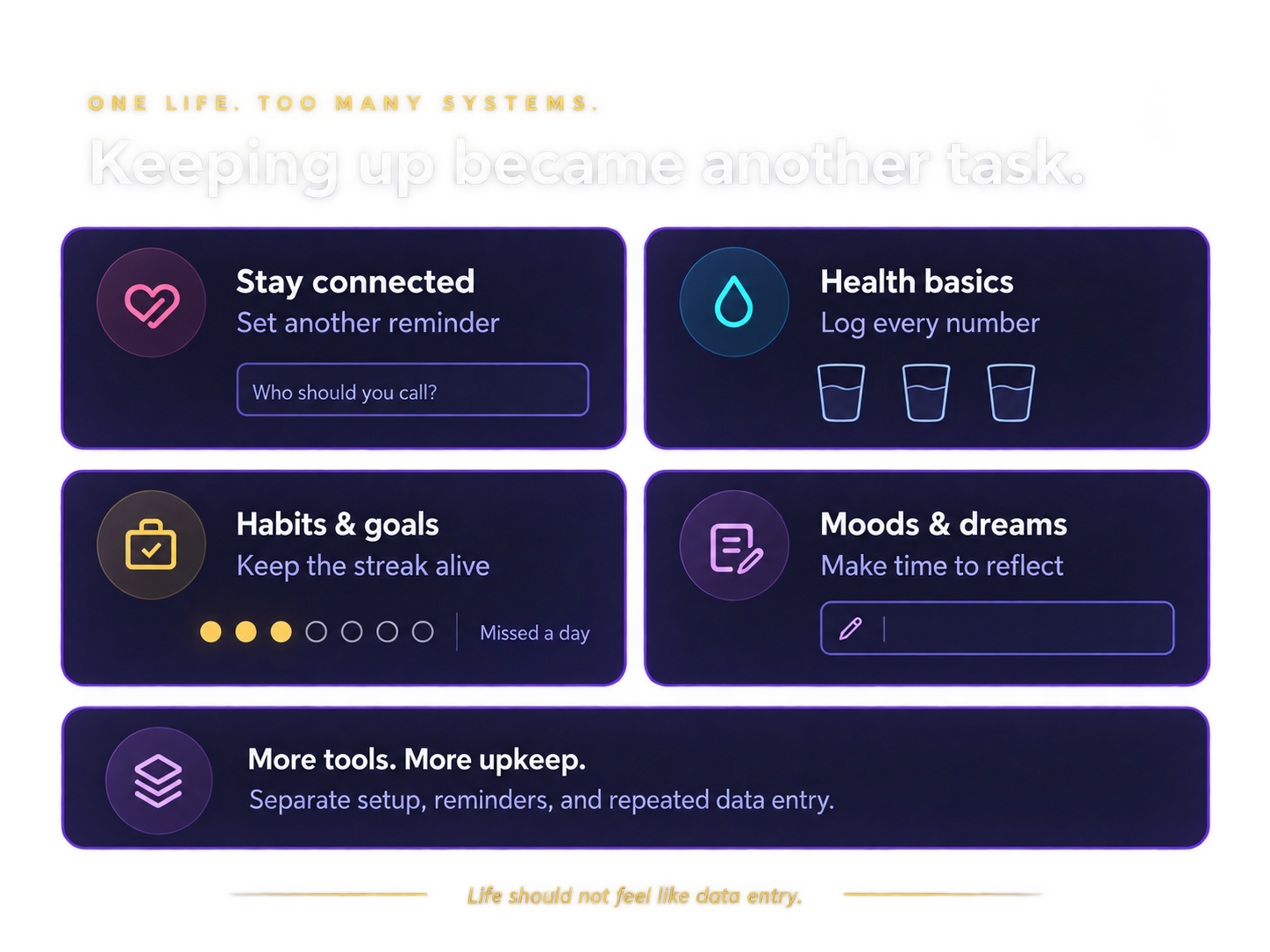
I wanted to keep track of things that genuinely mattered to me: people I wanted to stay connected with, health basics, goals, moods, dreams, and patterns in how I was feeling.
The problem was that every category seemed to require a different system.
Habit apps wanted streaks. Health apps wanted numbers. Journals required dedicated reflection time. Contact reminders felt transactional. Together, the tools designed to make life more manageable were creating more administrative work.
I wanted to create something that required almost no setup and did not punish the user for having a difficult week.
The system needed to work around normal life, not turn normal life into data entry.
02 — The Core Idea
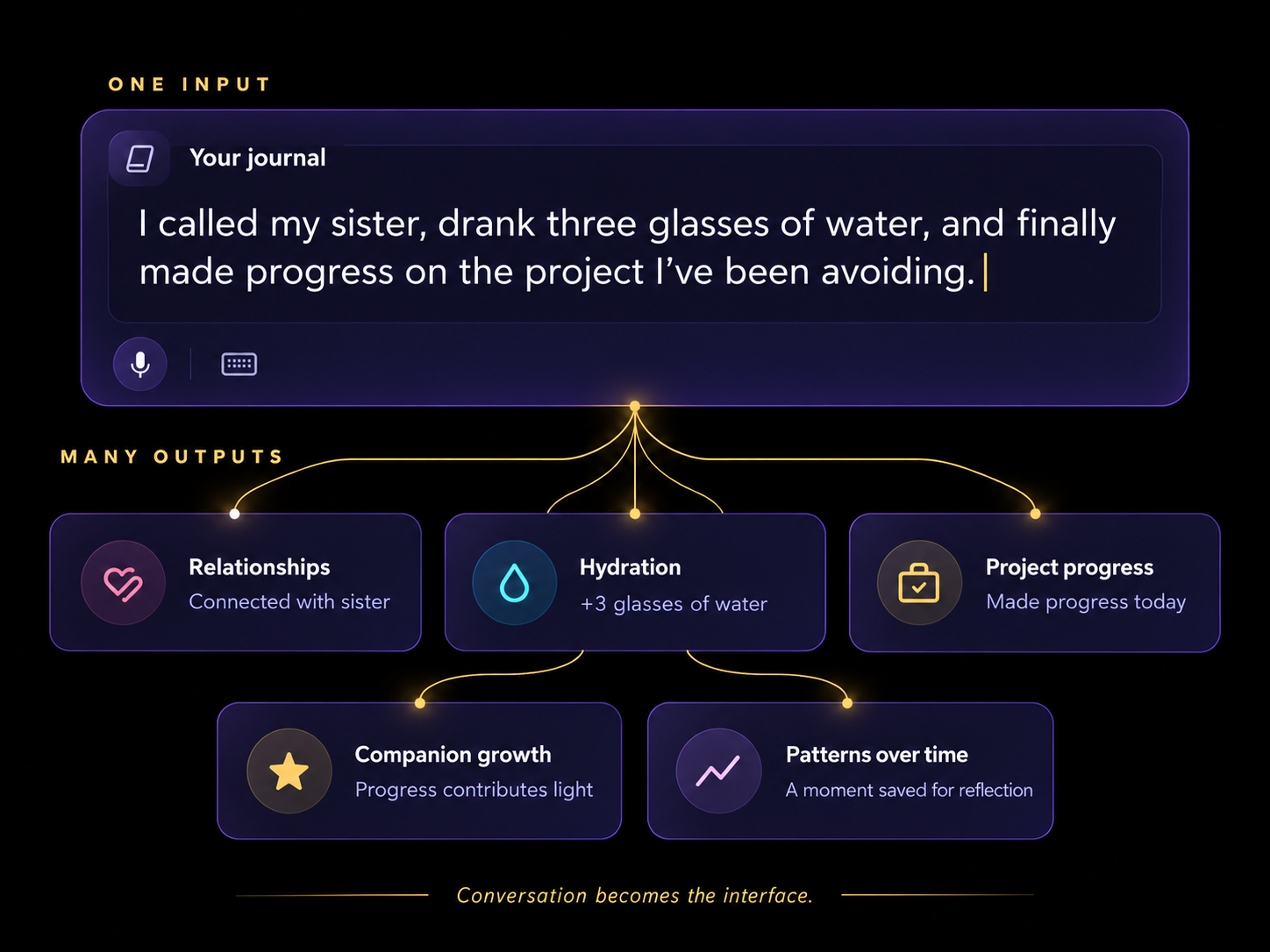
One input. Many outputs.
The journal became the single required interaction.
A user simply speaks or types about their day in their own words. The system interprets that entry and quietly routes useful information into different parts of the experience.
A sentence like:
“I called my sister, drank three glasses of water, and finally made progress on the project I’ve been avoiding.”
could contribute simultaneously to:
- relationship activity
- hydration tracking
- career or creative progress
- character progression
- longer-term behavioral patterns
The user never has to manually maintain five separate systems.
Conversation becomes the interface.
03 — Turning Data Into Feeling
Traditional tracking products often communicate progress through numbers, percentages, streaks, and charts.
I deliberately moved away from that model.
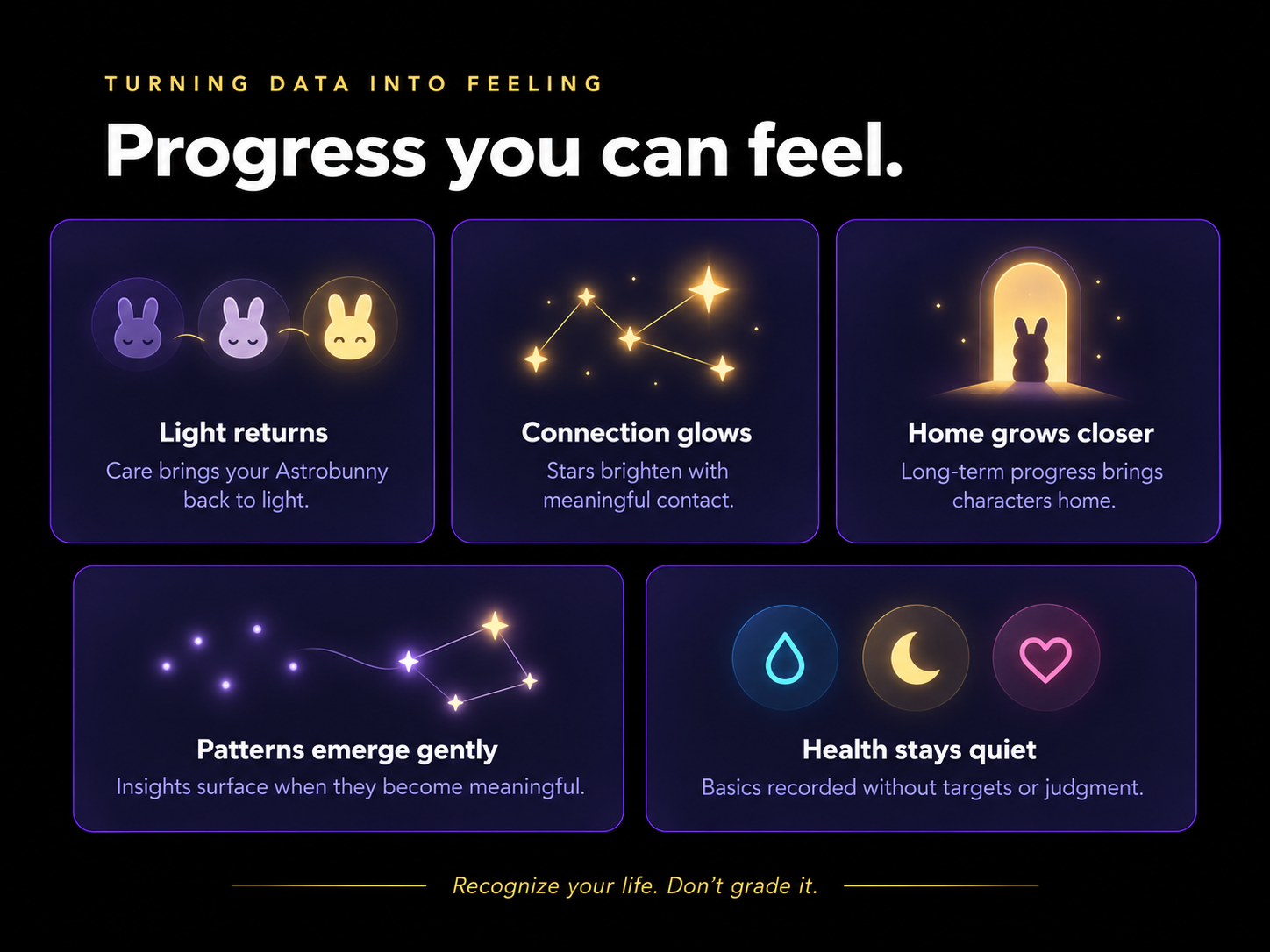
Instead, information is represented through visual and emotional signals:
- Astrobunnies regain light as different areas of life receive attention
- relationships appear as stars whose brightness reflects recent meaningful contact
- long-term progress appears through characters returning home
- recurring emotional patterns remain hidden until they become meaningful enough to surface
- health basics are recorded quietly without calorie, weight, or performance targets
The goal was to make information understandable at a glance without making the user feel evaluated.
Data should help the user recognize their life, not grade it.
04 — Designing Without Guilt
Several early product decisions came directly from the desire to avoid common habit-app patterns.
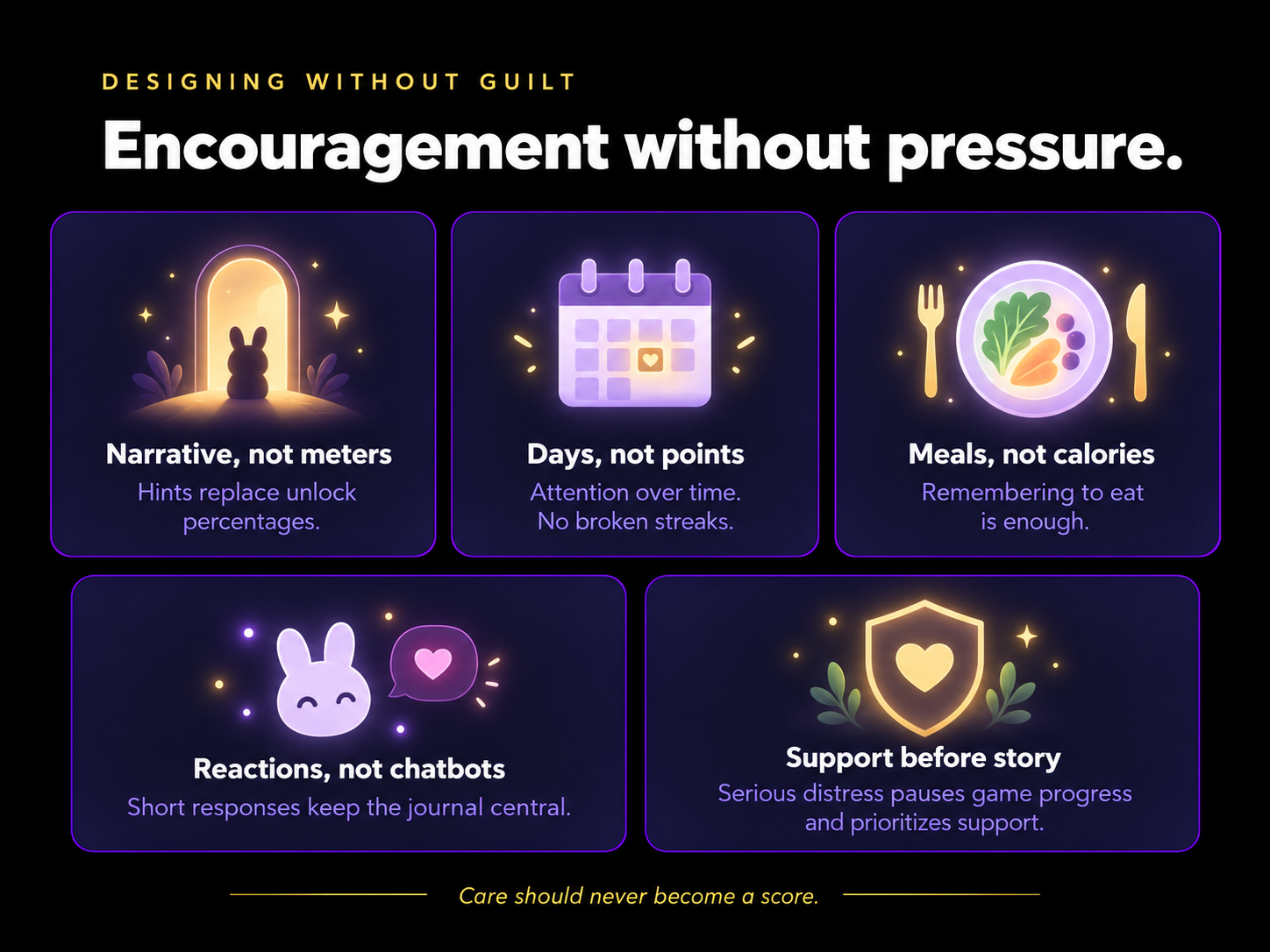
No visible progress meters on locked characters
Seeing “73% complete” immediately turned reflection into grinding toward an unlock. I replaced percentages with subtle narrative hints.
Days instead of points
A long journal entry cannot overpower the system. Progress rewards consistent attention over time without creating a streak that can be broken.
Meals instead of calories
The important question is whether the user remembered to eat, not whether the meal met a numerical target.
Characters react, but do not become chatbots
The Astrobunnies can respond with short emotional reactions, but the journal remains the center of the experience. This avoids turning the characters into advisory companions or creating unnecessary dependency.
Never gamify emotional distress
Repeated expressions of serious distress do not generate game progress. The experience steps outside the narrative and prioritizes appropriate support.
05 — The Product Experience
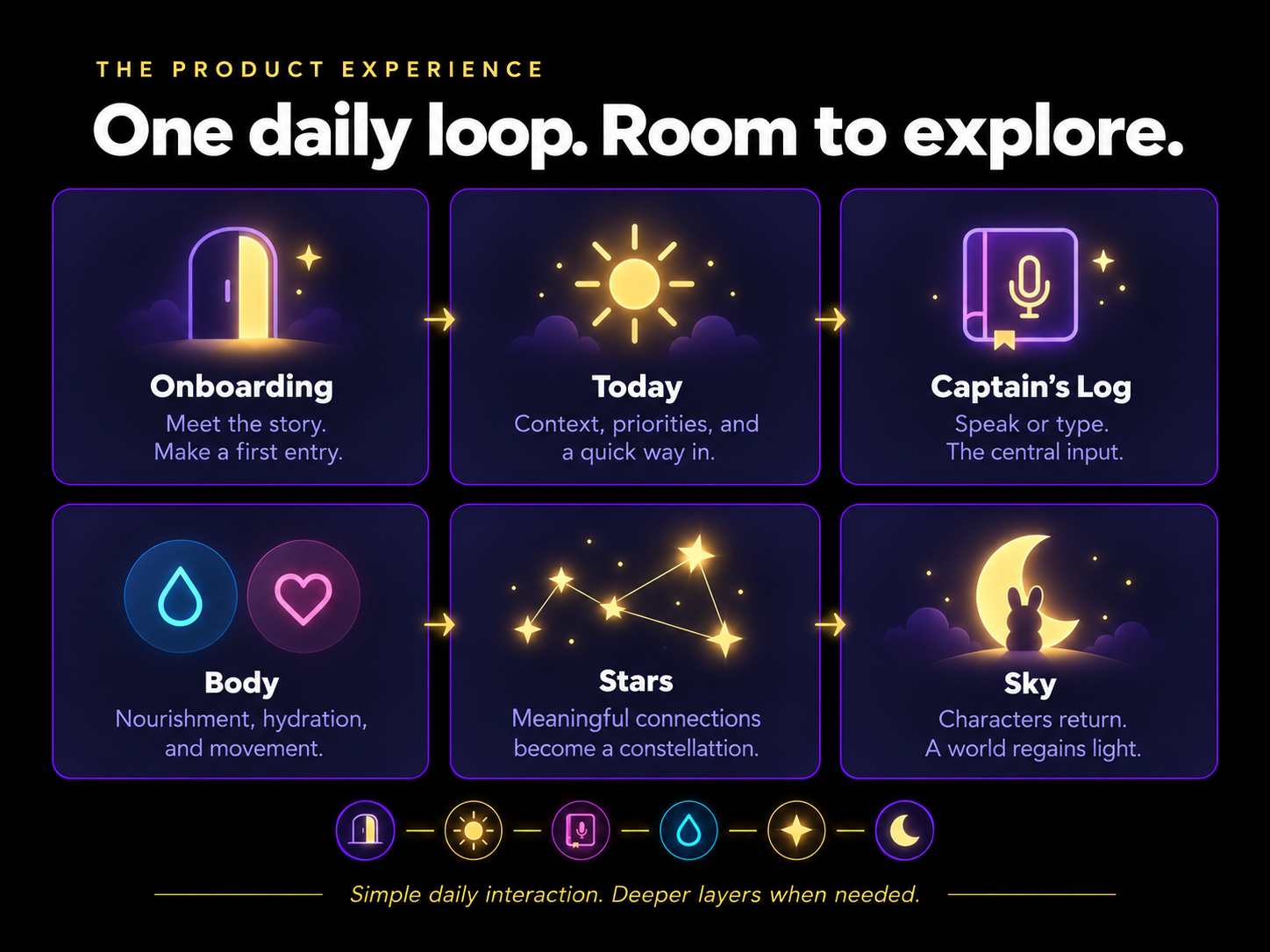
Onboarding → Today → Log → Body → Stars → Sky
I designed the product around a simple daily loop with optional deeper layers.
Onboarding
Introduces the story, allows the user to choose a starting character, identifies their preferred journaling style, and demonstrates the system through a first entry.
Today
Provides immediate context: mood, goals, weather, calendar information, people on the user’s radar, and a fast entry point into the journal.
Captain’s Log
Accepts voice or text and acts as the primary source of information for the rest of the product.
Body
Quietly tracks basic nourishment, hydration, and movement extracted from journal entries.
Stars
Visualizes relationships as a constellation, using proximity and brightness instead of reminder lists.
Sky
Communicates long-term progress through the return of the zodiac characters and the restoration of Mynassa’s world.
The supporting interface stays relatively simple because the intelligence of the product happens behind the journal entry.
06 — Designing a System, Not Just Screens
The fantasy layer gave me a way to make abstract personal data feel emotional and understandable, but underneath it is a reusable product system.
The experience includes:
- shared navigation patterns
- reusable cards and interaction components
- character states
- locked and unlocked content states
- thirteen coordinated visual palettes
- consistent typography and spacing
- reusable feedback behaviors
- one central input feeding multiple product areas
Rather than designing each page independently, I built the interface as a connected ecosystem where changes in one part of the user’s life can naturally appear elsewhere.

07 — AI as Infrastructure
AI is intentionally kept mostly invisible.
Its purpose is not to become the personality of the application. It handles classification and routing behind the scenes so the user can communicate naturally.
A journal entry can be interpreted for:
- relevant life themes
- meaningful social contact
- food, water, or movement
- recurring emotional patterns
- short character reactions
The product experience remains visual, human, and story-driven while AI reduces the amount of manual input required.
AI handles the organization so the user can focus on living and reflecting.
08 — Prototype & Interaction
I created a working clickable prototype and a guided portfolio experience that allows viewers to move through the application as a user would.
Rather than presenting the project as a gallery of isolated screens, the case study demonstrates the relationship between onboarding, daily interaction, reflection, progress, and long-term system states.
This allows the product logic, interaction decisions, visual system, and original artwork to be experienced together.
09 — What I’d Test Next
The product is currently a concept with a working prototype and technical build specification.
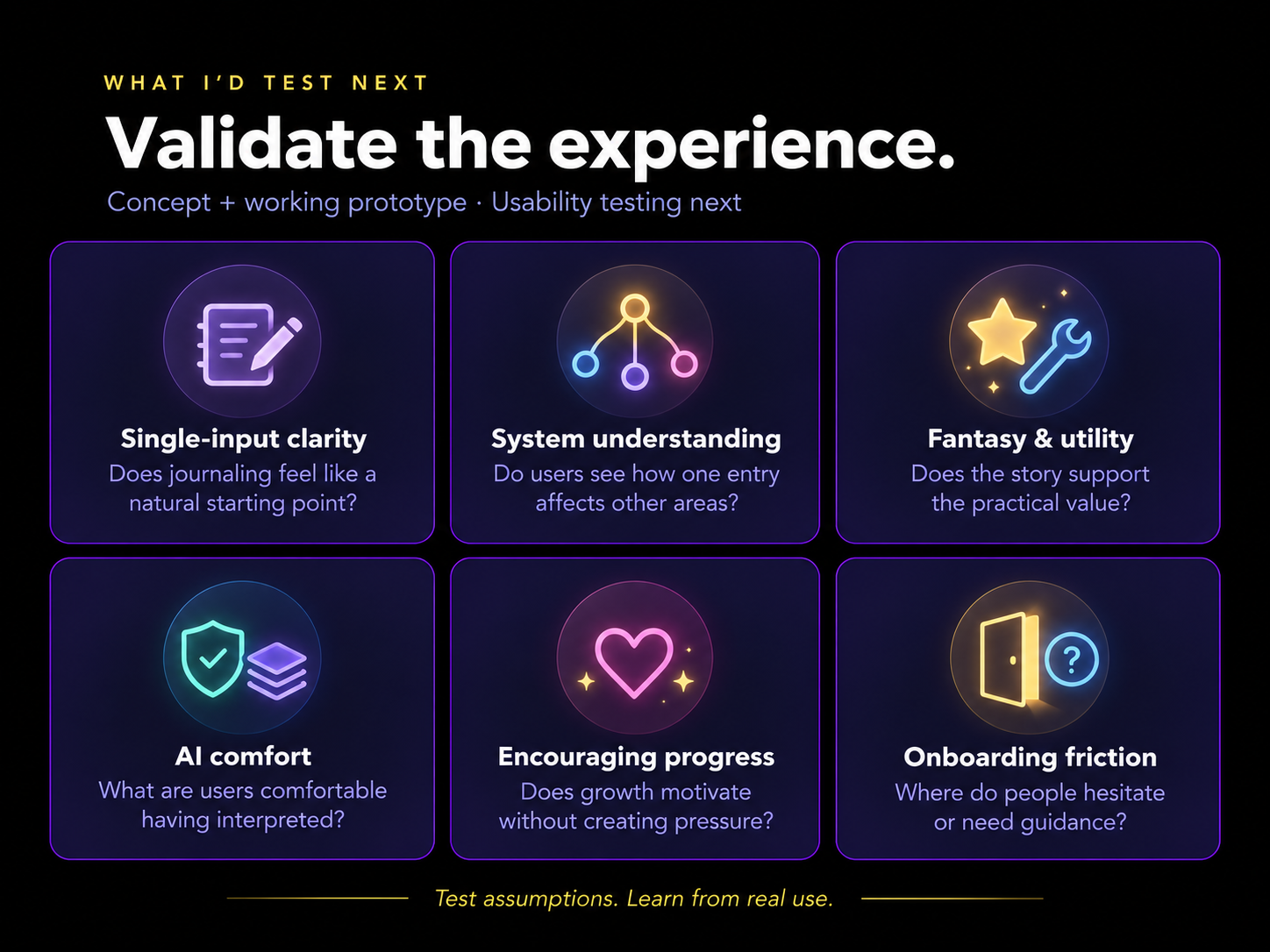
The next step would be usability testing with a small group of users, focusing on:
- whether the single-input model feels intuitive
- whether users understand how journal entries affect other areas
- whether the fantasy layer supports or obscures the utility
- how much information users are comfortable allowing AI to interpret
- whether progress feels encouraging without becoming gamified
- where onboarding creates confusion or unnecessary friction
Those findings would inform the next iteration before moving into production development.
I wanted to design a product that understands more while asking the user to do less.
The technology disappears into the background, while the user’s own life becomes the story.